
OMTech MOPA 80W Split Fiber Laser Marking Machine with 6.9" x 6.9" Working Area
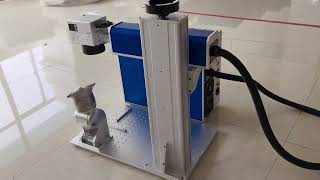
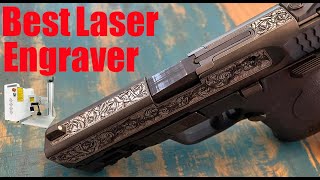
The OMTech MOPA 80W Split Fiber Laser Marking Machine is an industrial-style fiber laser marker with a 6.9" x 6.9" (175 x 175 mm) working area. Its MOPA source allows adjustable pulse width, so it can engrave and anneal-mark metals (including color marking on stainless steel and titanium), deep-engrave and lightly cut thin metals, and mark certain plastics. It uses a split design with a separate laser/control unit and marking head. It is a fiber laser, not a desktop diode engraver, so it sits well above diode machines in price and capability. Exact specifications and pricing should be confirmed with OMTech.
View on Amazon #adAffiliate link — we may earn a commission.
Pros & cons
What we like
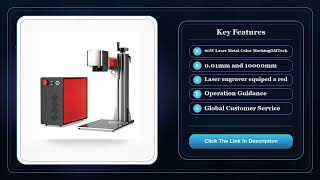
- MOPA fiber source with adjustable pulse width enables color marking on stainless steel/titanium and cleaner marks on anodized aluminum and plastics
- High 80W power allows deep metal engraving and faster production marking than typical 20-50W fiber units
- Marks bare metals (steel, aluminum, brass, titanium) that diode lasers cannot touch
- Split design puts the marking head on a separate cable from the power/control unit, which makes mounting and integration easier
- Fiber laser sources have very long rated lifespans (typically tens of thousands of hours) with minimal consumables
What could be better
- Far more expensive than any desktop diode engraver, with a price in the thousands of dollars
- Class 4 laser with invisible infrared output; it requires proper laser safety glasses (wavelength-rated) and a safe workspace, and is not a plug-and-play beginner device
- Typically relies on EZCAD-style Windows software with a steep learning curve and a dated interface; there is no mobile app
- Heavy and bulky, and the 6.9" x 6.9" field limits larger workpieces without a rotary or XY fixture; fume extraction is also advisable
Key features
Who is this for?
Best for
Small shops, jewelers, tool makers, and makers who need to mark or deep-engrave metal and want MOPA color-marking capability. Suited to users comfortable with industrial laser safety and PC-based marking software.
Not ideal for
Hobbyists looking for a simple, enclosed desktop diode engraver for wood and acrylic, or anyone on a tight budget. Not for those who want a mobile app or a beginner-friendly out-of-the-box experience.
How it scores
Specifications
| Power | 80W MOPA fiber laser |
|---|---|
| Work Area | 6.9" x 6.9" (175 x 175 mm) |
| Software | EZCAD-compatible Windows software (verify with OMTech) |
| Connectivity | USB / Ethernet to PC (verify with OMTech) |
| Laser Type | MOPA fiber laser, ~1064 nm wavelength |
| Speed | Galvo scanning, thousands of mm/s (exact max speed varies; verify with OMTech) |
| Weight | Not verified; split units of this class are typically tens of pounds |
| Focus | Manual focus via adjustable-height head/lens; no confirmed autofocus |
| Enclosure | Open-frame/split design with no enclosure (an enclosure is optional or must be added by the user) |
| Material Compatibility | Stainless steel, carbon steel, aluminum, brass, copper, titanium, anodized metals, and some plastics; not suitable for wood, acrylic cutting, or clear materials |
Compatibility
Operates through a Windows PC running the marking software. There is no iOS or Android app. macOS support is generally not available natively.